Lindy AI: What It Costs and Who It Is Actually For
Lindy AI charges $29.99 to $199.99 per user per month. Here is what it really does, what the credits cost, and when a small business should skip it.
Search Lindy AI and the homepage loads with no price on it anywhere. The review roundups underneath do carry prices, and several of them quote plans the company retired.
Lindy AI is an AI teammate that lives in Slack, email and text. It connects to 1,000+ business apps and takes on inbox triage, meeting notes, scheduling and CRM updates. Plans run $29.99 to $199.99 per user per month and burn usage credits as it works.
Most of what ranks for this term is an affiliate roundup quoting a plan table from an older product. This page prices one routine against the plan that pays for it, and it answers the question those pages skip. Who owns the workflow when an app changes or the credit pool runs dry?
TL;DR
- Lindy AI bills per seat at $29.99 to $199.99 per user per month, plus credits at about a cent each.
- Credits pool across the whole workspace, do not roll over at cycle reset, and top up at $10 per 1,000.
- One queue triage costs $2.50 to $10, and three seats on Plus is $89.97 a month with 9,000 credits pooled.
- The Slack product launched on August 10, 2026, so reviews older than that describe a different tool.
What is Lindy AI, and what does it actually do?
Lindy AI is a subscription assistant that works inside Slack, Gmail, iMessage and a browser tab. It reads the tools you connect, drafts or takes actions in them, and runs routines on a schedule you set. Lindy Teammate, the Slack version sold today, launched on August 10, 2026.
That launch date is the first thing to check on any Lindy review. Macha’s guide counts three separate builds in about 18 months. The no-code agent builder came first. A personal assistant over Gmail and Outlook followed in February 2026, and the Slack teammate landed in August.
Most review pages still describe the builder and its free 400-credit plan, which Carly’s review records as discontinued in the early-2026 repricing.
Lindy’s own homepage lists Gmail, Slack, Notion and HubSpot among 1,000+ connected apps. It supports MCP, and the homepage promises Lindy asks before it alters anything.
The meeting side is a real part of the product. Lindy joins Meet, Zoom and Teams as a named participant. It records the call and files the recording in a library your team can search.
Memory lives in plain files you can open and edit, so you can read what it remembers and change it like a doc. The site ships 40+ skills, and you can save your own.
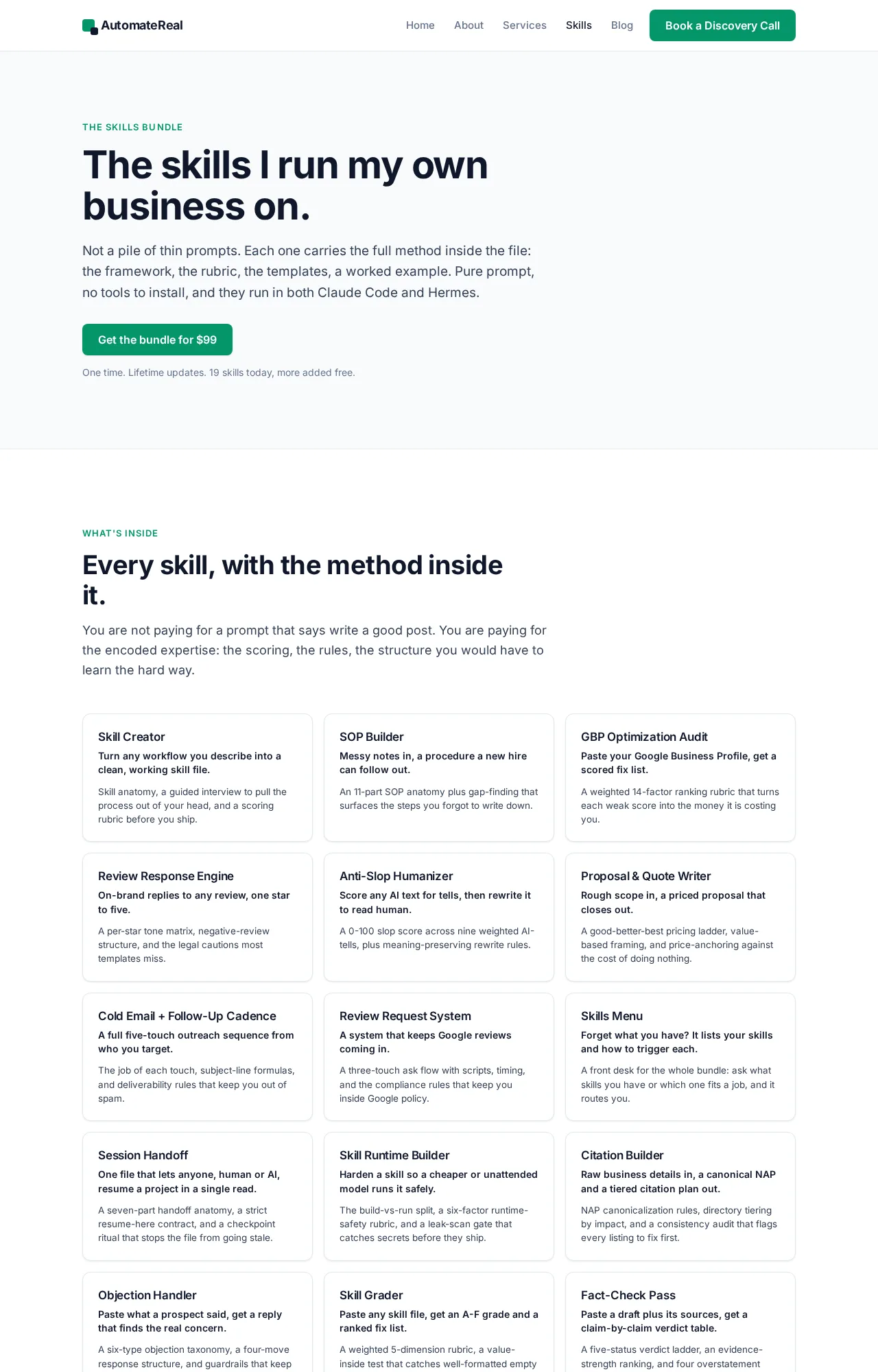 The skills page lists the shipped skills and the ones you add yourself.
Capital matters when the product is this young. Flo Crivello started Lindy after Teamflow. Carly’s review records roughly $50M raised from Menlo Ventures, Battery Ventures, Coatue and Tiger Global. Lindy’s own site claims 400K+ professionals.
If you are shopping for an ai assistant for small business, the first question is where the work starts. Lindy’s answer is Slack. That keeps the commitment light: one monthly bill, and it stops when you stop paying.
For the general version of this decision, AI agents for small business covers the wider field.
The homepage backs the pitch with a shared recording library. One quote beside it is a team saying they would sign tomorrow if Lindy synced with Salesforce.
Check the date on a Lindy review before you trust its plan table. The product changed shape twice in 2026.
How much does Lindy AI cost, once you count the credits?
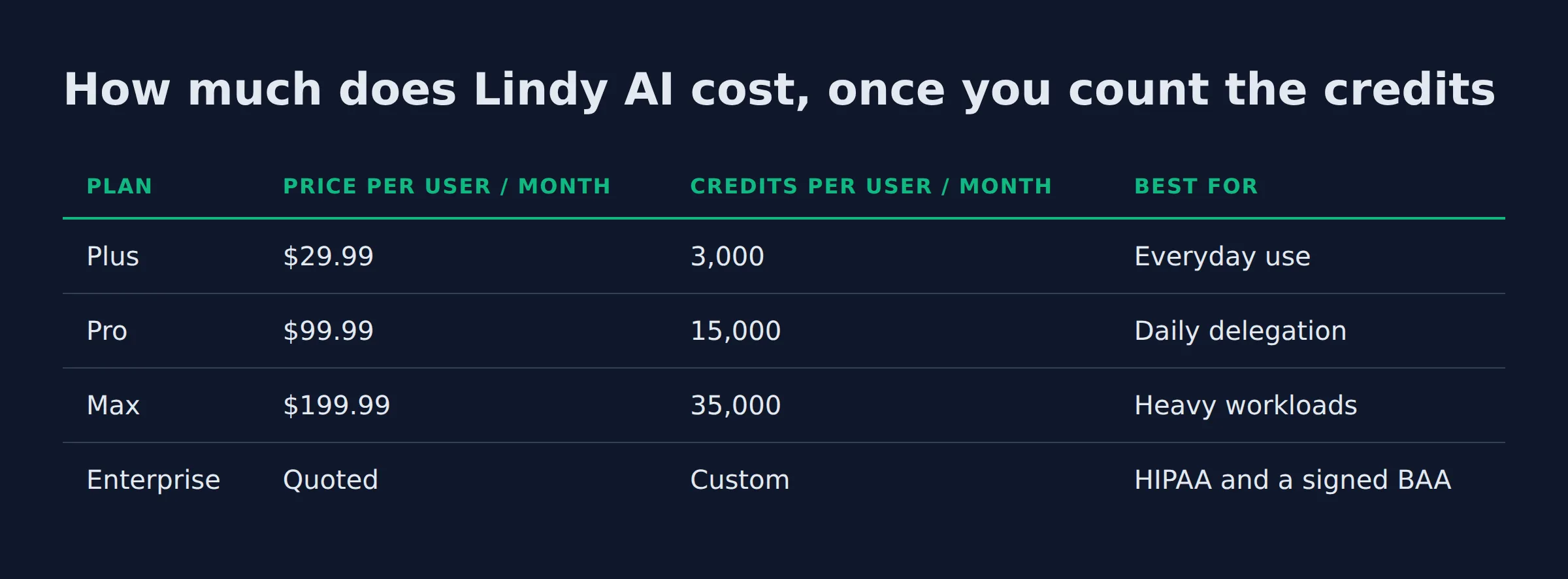
Lindy bills by the seat, and each seat carries a credit allowance. Plus is $29.99 per user per month with 3,000 credits. Pro is $99.99 with 15,000 credits. Max is $199.99 with 35,000 credits. Enterprise is quoted and adds HIPAA behind a signed BAA.
The seat prices and the quoted tier sit on the Lindy pricing page. It is the one page in this set that shows a price at all.
| Plan | Price per user / month | Credits per user / month | Best for |
|---|---|---|---|
| Plus | $29.99 | 3,000 | Everyday use |
| Pro | $99.99 | 15,000 | Daily delegation |
| Max | $199.99 | 35,000 | Heavy workloads |
| Enterprise | Quoted | Custom | HIPAA and a signed BAA |
The credits are pooled at workspace level. Each seat adds its allowance to one shared balance, and admins can cap what any one person pulls, per Lindy’s own pricing documentation. That pool is the number an ai personal assistant for business buyer should price first.
What a credit buys is the part that decides the bill. Lindy’s docs price a credit at about one cent each and sort the work into three bands.
| Work band | Credits per run | What it covers |
|---|---|---|
| Everyday asks | 2 to 250 | Answers, lookups, tool updates, a drafted reply |
| Deep work | 250 to 1,000 | A competitor report, a day’s support queue |
| Big builds | 1,000 to 2,500 | Dashboards, decks, internal tools |
Lindy’s docs put triaging a day’s support queue in the 250 to 1,000 credit band. Macha’s guide runs that arithmetic to $2.50 to $10 a run at a cent a credit. Three seats on Plus is $89.97 a month and pools 9,000 credits.
Run that triage once a day for 22 working days and you spend 5,500 credits at the low end of the band. At the high end you spend 22,000 credits, so you are buying about 13,000 extra. That is $130 in top-ups at $10 per 1,000.
Lindy’s pricing docs put it plainly: plan credits refresh at the start of each billing cycle and do not roll over. Purchased top-ups are the exception. A block at $10 per 1,000 credits carries over and does not expire.
Seats are the second meter on the bill. Anyone who @mentions Lindy in Slack takes a paid seat, whether they signed up or joined your workspace. Teammates who join through Slack get a 7-day trial first, while direct signups are billed from day one.
There is no free plan any more. The free tier went away in 2026, per Layer3 Labs’ price guide.
Three seats on Plus gives you $90 of credit value for $89.97, so the heavy months get paid for in top-ups on top of the seats.
Why the ratings split so hard
The same product scores 4.9 out of 5 on G2 and 1.7 on Trustpilot, and both streams describe real moments. One covers setup and daily use. The other covers the billing edge cases and the support desk.
Carly’s review reports 4.9 out of 5 across 171 G2 reviews, plus a Best Personal AI Assistant award. The same review puts Trustpilot at 1.7, where billing surprises and unreachable support dominate the stream.
Where the complaints land is worth reading closely. The two loudest complaint tags across those G2 reviews are “expensive” and “high subscription cost”, Carly’s review reports. Support follows the same pattern, since individual plans get docs and community help while dedicated support sits on Enterprise.
Macha’s guide adds a third reading. Capterra sits at 3.5 from two reviews, and the listing still shows the retired Free and $49.99 plans.
Two more facts decide whether the assistant is safe to leave running. Email replies land in drafts and nothing goes out without your approval, while triage and labeling run on their own, as Carly’s review documents. On compliance, Lindy states SOC 2 Type II and GDPR. HIPAA sits behind a signed BAA on Enterprise, a condition the pricing page states outright.
Read the 4.9 as a setup signal and the 1.7 as a billing signal. Both describe the same product on different days.
What does Lindy AI do in a small business, in practice?
In practice, Lindy takes the repeat work out of the day. It triages a shared inbox and drafts replies in your voice. It writes meeting notes, updates CRM records, and runs a brief on a schedule. Every one of those jobs spends workspace credits.
- Inbox triage. Labeling runs on its own, and replies wait in drafts for approval.
- Meeting notes. Notes and a shared recording library your team can search.
- CRM updates. Record lookups and record updates on request.
- Reports. A competitor report or a dashboard, on a schedule.
- Scheduling. “Move my 2pm to Thursday” by text, without opening an app.
Those are the ai agents examples that pay first in a service business, and they are boring on purpose. The repeat work is where the hours leak.
I run my own lead-gen on an automated system, and roughly 200 form submissions a day land in it. The sorting and the follow-up are the jobs I stopped doing by hand. That is the same shape as a triage job, where an agent owns a task that repeats instead of answering one question.
Which job goes first is the real decision, and which AI agent to build first walks through it.
The job that pays first is the one that runs on a schedule, because nobody has to remember to ask for it.
Can Lindy AI answer the phone and cover the front desk?
Yes, through Gaia, Lindy’s phone agent. Gaia answers calls and can qualify or book while it talks. Lindy does not publish a per-minute phone rate, and calls spend credits faster than text work.
An ai receptionist for small business usually means a tool that only handles the phone. Gaia comes attached to the same workspace, so the front desk and the inbox share one bill and one credit pool.
Carly’s review lists Gaia among the 2025 and 2026 releases, beside computer use, agent swarms and the app builder. The phone price is the gap. Layer3 Labs’ guide records older third-party reports of about $0.19 per minute plus $10 a month for a dedicated number. It flags them as unconfirmed. Treat them as background, not a quote.
A five-person service business does not live in Slack. Two people sit at desks and three sit in trucks. A Slack-first assistant waits in a channel nobody opened, and the phone keeps ringing at the front desk.
I would test the phone case first in any business where the customer calls before they book anything. That test is cheap, and it is the one most buyers skip.
The phone is the channel where the price stays invisible until the bill arrives.
The three checks before you pay for a seat
Before you pay for a seat, run the three checks I run on any tool I pay for. The first is who watches the credit pool. The second is who rebuilds the routine when an app changes its fields. The third is whether the work starts where the assistant lives.
- The pool. Somebody opens the billing page weekly and compares the burn to the allowance. On Lindy that number is public and pooled, so one busy teammate can spend the team’s month.
- The rebuild. Apps move fields. A routine keeps running against the old one and drifts quiet, which is how an automation dies without anyone noticing.
- The channel. If the team lives in Slack, the assistant lands where the work is. If the team lives in a truck, the phone has to be the front door.
When something in my own stack breaks, it is usually a person problem wearing a software costume. Nobody owns the rebuild, so the routine keeps running against a field that moved.
I have not run Lindy on my own accounts, so nothing here is a bill I paid. The checks come from running my own agents daily and watching what rots first.
Write down the name of the person who owns the pool. That name decides whether the assistant lasts past month two.
How is Lindy different from Zapier, Make and n8n?
Zapier, Make and n8n are builders you wire together yourself. Lindy is an assistant you talk to, and it acts inside the tools you already use. Zapier reaches 9,000+ apps against Lindy’s 1,000+, and both charge by usage.
| Tool | What it is | Where the work starts | Cost shape |
|---|---|---|---|
| Lindy AI | AI teammate | A Slack mention, a DM, a text, a routine | $29.99 to $199.99 per seat, plus credits |
| Zapier | Automation platform | A trigger you build | Free tier, then from $19.99 a month by tasks |
| Make | Visual automation builder | A scenario you build | Paid plans metered by operations (Make pricing) |
| n8n | Workflow builder, open source | A workflow you build, cloud or self-hosted | Starter 20 euros a month billed annually, or self-host free (n8n pricing) |
The comparison on Zapier’s own site argues Zapier’s case, and it is still useful, because it states both sides. It puts a first automation at 15 to 20 minutes, against connecting Slack and email and then tagging @Lindy in a channel.
On connector upkeep it draws a line that matters for a small team. Zapier maintains its own connectors, while keeping an MCP connection alive sits with the third party.
If you are hunting the best ai agents for business automation, the category splits in two. A builder hands you a diagram and the upkeep that comes with it. A teammate hands you a mention and keeps the maintenance.
Make’s price is missing from that table on purpose. Its pricing page only renders in a browser, and I will not quote a figure I have not read.
Pick by where the work starts: a trigger you build, or a message you send.
Buy a seat, or have the workflow built and managed for you?
Buy a seat when the team already works in Slack and the jobs are light. Have the workflow built and managed when it touches the phone, the CRM and a human hand-off. That path fits when nobody on your team wants to own the rebuild.
| Question | Buy a seat | Have it built and managed |
|---|---|---|
| What you pay for | A seat and its credits | One monthly amount for the workflow |
| Who sets it up | Your team, from templates | The builder maps the workflow first |
| Who fixes it when an app changes | Whoever notices | The builder, as part of the fee |
| Who watches the credit burn | You do | Folded into the monthly amount |
| Where the work runs | Slack, email and text | The tools you already use |
The seat math is public, which makes it easy to set against a managed fee. Three seats on Plus is $89.97 a month before any top-up. Run one heavy routine beside it and the workspace is near $220 a month for three people.
Building ai agents for small business adds a budget line and a name to it. A single seat adds a monthly charge and nothing else.
When I compare a per-seat subscription against a managed build I count my own hours and the top-up blocks. Then I count the broken week nobody owned. That third line is what decides it for most owners.
The AI services page covers how a build runs, from mapping the workflow to handing it over with someone accountable for the upkeep. My own system runs on agents I keep alive myself, so I know what that upkeep costs in hours.
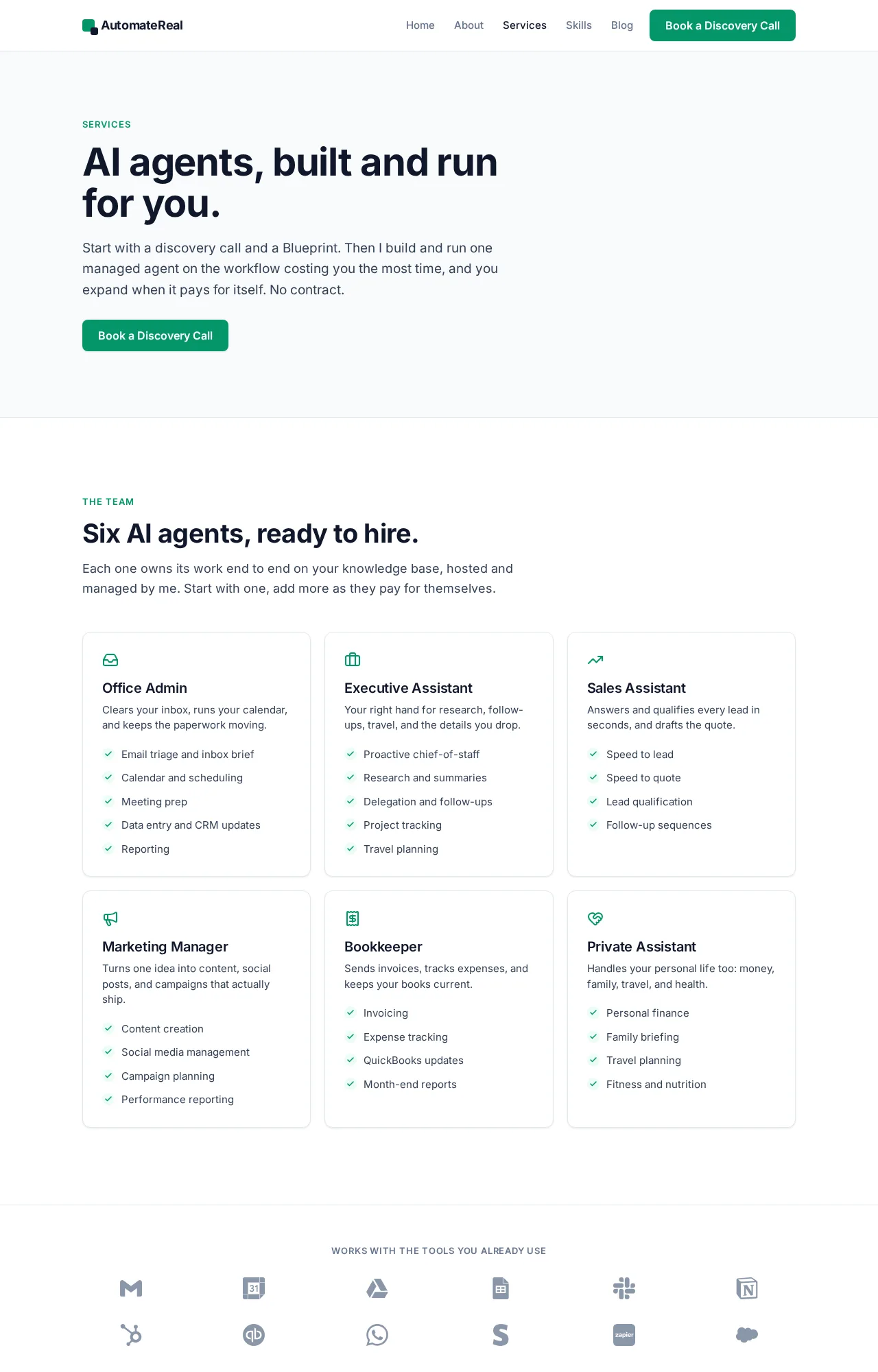 What a managed build includes, from workflow mapping to ongoing upkeep.
For a team of two that lives in Slack and wants the inbox triaged, buy the seat and run it for a month. Measure the burn, then decide.
The seat price is the easy number to compare. The upkeep hours are the number nobody quotes, and they decide the second year.
Related: What Is AI Automation? A Small Business Guide
Related: Agentic AI Explained for Small Business Owners
Related: AI Agents Examples: Real Use Cases for Small Business
FAQ
Is there a free version of Lindy AI?
No. Lindy removed its free tier in 2026, so direct signups carry billing from the first day. The one free window is a week for teammates who join an existing workspace through Slack.
Do Lindy AI credits roll over if I do not use them?
Plan credits refresh at the start of each billing cycle and do not roll over, per Lindy’s own pricing docs. Top-up credits are the exception. Blocks you buy at $10 per 1,000 credits carry over and do not expire.
What happens when the credit pool runs out mid-month?
Lindy pauses credit-using actions and tells you. Nothing breaks and there is no surprise bill, per Lindy’s pricing docs. An admin can top up the pool or move the workspace to a higher plan.
Does everyone on the team need a paid seat?
Anyone who uses Lindy takes a seat. That covers a direct signup, a workspace invite, and an @mention in Slack. People who join through Slack get a 7-day trial before the seat is billed.
Can Lindy AI handle phone calls, or only email and Slack?
It handles calls through Gaia, its phone agent, and it also lives in Slack, Gmail, iMessage and the browser. Calls spend credits faster than text work, and no per-minute phone rate is published.
What are the best Lindy AI alternatives for a small business?
For a Slack-based teammate, Macha’s guide puts Dust closest to like-for-like. For a cheap test of the idea, Zapier Agents is the lowest entry point. For a workflow you own outright, n8n’s self-hosted edition is free on GitHub.
If you want a second opinion on the credit math for your own team, a discovery call maps it in about thirty minutes.